tg339 App — Android APK for Bangladesh Players
Download the free tg339 App, install in a few steps and play slots, live casino, Crash games and more — right from your phone. bKash, Nagad, Rocket and Upay payments work inside the app.
- Safe APK
- Android 8.0+
- bKash & Nagad
- 24/7 Support
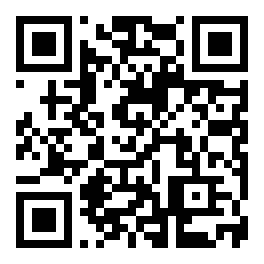
Scan to download
App Version & System Requirements
All details below come from the current release. If the app shows "Update available" after login, tap it — updates are small and fast over mobile data.
| Detail | Value |
|---|---|
| App Version | 2.0.19 |
| File Size | 52 MB |
| Minimum Android | Android 8.0 (Oreo) or higher |
| Last Updated | 9 November 2026 |
| Price | Free |
| Language | English / Bangla |
| Payment Methods | bKash · Nagad · Rocket · Upay |
| Available on | Android (APK direct download) |
| iOS Support | Browser shortcut (Add to Home Screen) |
| Customer Support | 24/7 Live Chat inside the app |
Not on the Play Store? tg339 App is an Android APK file — it installs directly, without needing Google Play. This is normal for casino apps in Bangladesh. See the step-by-step guide below.
What You Can Do in the tg339 App
The tg339 app is not a stripped-down version of the site. You get the full game library, the same bonuses and identical payment speeds — all optimised for a small screen and slower mobile connections.
Slots & RNG Games
Play Double Fortune, Golden Land, Honor of Juma and thousands more. Smooth spinning even on a 4G connection. Bet from as low as ৳5 per spin — no minimum device tier needed.
Live Casino with Real Dealers
HD video streams from Evolution and Ezugi tables — Baccarat, Roulette, Dragon Tiger and more. The app auto-adjusts stream quality when your signal drops, so you stay in the game.
Crash & Aviator Games
Tap to cash out before the multiplier crashes. The app's faster touch response makes Crash games feel sharper than a browser tab. Set auto-cashout inside the app for hands-free rounds.
bKash & Nagad Payments
Deposit with bKash, Nagad, Rocket or Upay — all four methods work directly inside the app. Deposits land in about 6 minutes. Minimum deposit is ৳350. No extra charges from tg339.
VIP Programme & Bonuses
Your VIP points and bonus wallet are synced in real time. Claim your welcome offer, reload bonuses and daily cashback directly from the app's Promotions tab. No code-switching needed.
24/7 Live Chat Support
Tap the chat bubble any time — support runs all day, every day. If you hit a payment issue or a game crashes, the team responds fast without sending you to an email queue.
Sample Games Available in the App


Android APK: 5-Step Install Guide
Android blocks APK files from unknown sources by default — this is a one-time setting you change in your phone's Security menu. It takes about 60 seconds and you can switch it back off after installing.
-
1Allow installs from unknown sourcesOn your Android phone, go to Settings → Security & Privacy → Install Unknown Apps. Find your browser (Chrome or Firefox) in the list and toggle "Allow from this source" to ON. This setting only affects files downloaded through that browser — it does not lower your phone's overall security for other apps.
-
2Download the tg339.apk fileTap the Download APK button on this page. Your browser will save tg339.apk (52 MB) to your phone's Downloads folder. Keep the screen on during the download — if it pauses on mobile data, switch to Wi-Fi and retry.
-
3Open the downloaded fileWhen the download finishes, tap Open in the browser notification — or go to your Files app, open the Downloads folder and tap tg339.apk. Android will show an install screen with the app's name and permissions list. Review them, then tap Install.
-
4Wait for installation to completeInstallation usually takes 10–20 seconds. When Android shows "App installed", tap Done (not Open yet). At this point you can go back to Settings → Security and turn "Install Unknown Apps" back off — you do not need it enabled while just running the app.
-
5Log in or create your accountOpen the tg339 App from your home screen. If you already have an account, tap Log In and enter your phone number and password. New to tg339? Tap Register — registration takes under two minutes and your welcome bonus is credited after your first deposit of ৳350 or more. Register here first if you prefer to do it in a browser.
iPhone / iOS: Add to Home Screen
Apple does not allow APK files. Instead, you can add the tg339 website to your iPhone's home screen — it opens like an app with no address bar.
- Open https://tg339.asia in Safari (not Chrome).
- Tap the Share button at the bottom of the screen (the box with an arrow pointing up).
- Scroll down the Share menu and tap Add to Home Screen.
- Change the name to "tg339" and tap Add in the top-right corner.
The iOS version runs in Safari's engine and needs an internet connection. All games and payments work the same way.
Already registered? You can log in to tg339 from the app immediately after installation. No need to register again — your account works across browser and app.
App vs Browser: What's Different
Both the app and the browser version connect to the same account and game library. The differences come down to speed, convenience and a few features that work better natively on Android.
| Feature | tg339 Android App | Browser (Chrome / Firefox) |
|---|---|---|
| Game loading speed | ✔ Faster — cached locally | ~ Slightly slower on first load |
| Live casino video quality | ✔ Auto HD with adaptive bitrate | ~ Depends on browser tab performance |
| Push notifications | ✔ Yes — bonus alerts, results | ✘ Not available on mobile browsers |
| bKash / Nagad deposit | ✔ In-app redirect, no copy-paste | ✔ Works via browser redirect |
| Crash game touch response | ✔ Native tap — lowest latency | ~ Browser tap adds small delay |
| Offline launch | ✔ App icon always on home screen | ✘ Needs browser open + URL typed |
| Fingerprint / Face login | ✔ Supported on Android 8.0+ | ✘ Not available |
| Account & balance | ✔ Same account, real-time sync | ✔ Same account, real-time sync |
| Bonuses & VIP points | ✔ Full access, claim from app | ✔ Full access |
| Minimum deposit | ৳350 on both — no difference | |
| Withdrawal speed | ~18 minutes average on both platforms | |
| iOS support | ✘ APK = Android only | ✔ Safari "Add to Home Screen" |
Permissions & Security: What to Know
The tg339 APK asks for a small set of permissions needed to run the app. Here is what each one does — and what the app does not access.
Internet Access
Required to load games, process payments and connect to live chat. The app does not store game data locally — all activity goes through HTTPS connections encrypted with TLS 1.3. Your session token is stored only in the app's private storage, not in a shared location.
No Contacts or Camera Access
The tg339 App does not request access to your contacts, camera, microphone or photo gallery. The only optional permission is notifications — you can deny it and the app works fine. If Android ever shows a permission request you did not expect, do not approve it and contact live chat immediately.
Encrypted Payments
All deposit and withdrawal requests pass through the same encrypted payment gateway used on the desktop site. The app never sees your full bKash or Nagad PIN — you approve the transaction inside the bKash/Nagad app directly. tg339 only receives a confirmation token from the payment provider.
Download Only from This Page
Only download tg339.apk from https://tg339.asia/tg339-app/. APK files shared in WhatsApp groups, Telegram channels or third-party download sites may be modified. If you are unsure whether your copy is genuine, delete it and download a fresh copy from this page.
Install Problems: Quick Fixes
Most install errors have a simple cause. Find your problem in the table below and follow the fix — if none of these help, open live chat from any browser and share the exact error message.
| Problem | Most Likely Cause | How to Fix It |
|---|---|---|
| "Install blocked" message | The "Unknown sources" permission was not enabled for your browser before downloading | Go to Settings → Security → Install Unknown Apps. Find Chrome/Firefox and enable "Allow from this source". Then try installing the APK again. |
| "App not installed" error | The downloaded APK file is incomplete — connection dropped mid-download | Delete the partial file from your Downloads folder. Connect to Wi-Fi and download tg339.apk again from this page. Do not open the file until the full 52 MB has downloaded. |
| Device says "Insufficient storage" | Less than 100 MB of free internal storage available | Free up space by deleting unused apps or clearing cache (Settings → Storage → Cached Data). The app itself is 52 MB but needs about 80 MB working space to install correctly. |
| App installs but crashes on open | Android version below 8.0, or conflicting security software | Check Settings → About Phone → Android Version. If it shows 7.x or lower, the app is not compatible. Otherwise, restart your phone and open the app again. Temporarily disable any third-party antivirus app — these sometimes flag APKs incorrectly. |
| Can't log in after installing | Wrong password, or the account has not been registered yet | If you are new, tap Register inside the app — not Log In. If you forgot your password, use the "Forgot Password" link on the login screen. For account lock issues, contact 24/7 live chat. |
Ready to play on your phone?
Download the tg339 App now — it's free, takes under a minute to install, and you can be placing your first bet within five minutes. If you do not have an account yet, register first — it's quicker in a browser.
Common Questions About the tg339 App
Is the tg339 APK safe to download and install?
Yes — when you download from https://tg339.asia/tg339-app/. The APK file is scanned and signed before each release. Android may show a warning saying the file is from an "unknown source" — this is a standard Android prompt for any APK that is not from the Play Store, not a sign of danger. Only download from this official page, never from third-party links or Telegram groups that claim to share the latest version.
What Android version does the tg339 App need?
The app requires Android 8.0 (Oreo) or higher. Most phones sold in Bangladesh from 2019 onwards run Android 9 or later, so compatibility is not usually a problem. To check your version, go to Settings → About Phone → Android Version. If you are on Android 7.x or lower, use the browser version at tg339.asia instead — it works on older devices without installation.
How do I update the tg339 App when a new version comes out?
When a new version is available, the app shows an "Update available" banner after you log in. Tap it and the app will download the update and install it automatically — you do not need to uninstall the old version first. Alternatively, come back to this page, download the latest tg339.apk and install it over the existing version. Your account data, balance and history are stored server-side, so nothing is lost during an update.
What if the APK download gets stuck or is very slow?
Switch from mobile data to a Wi-Fi connection and try again — the file is 52 MB, which can take 2–3 minutes on a weak 3G signal. Make sure you tap the download button on this page, not a screenshot or cached page. If the download still fails, clear your browser cache (Settings → Privacy → Clear browsing data), reload this page and try once more. For persistent issues, contact 24/7 live chat and ask for the latest direct download link.
Can I use the same account on both the app and a browser?
Yes. Your tg339 account is not tied to a device or platform. Log in with the same phone number and password in the app, on a browser on your phone, or on a laptop — all sessions see the same balance, bonus wallet and game history in real time. You can be logged into multiple devices at once. If you notice an unfamiliar login location in your account, change your password immediately and contact support.
Do deposits and withdrawals work differently in the app?
No — the limits and processing times are identical. Minimum deposit is ৳350 and minimum withdrawal is ৳1,200 on both the app and browser. The average deposit arrives in about 6 minutes; the average withdrawal takes around 18 minutes. The app experience is slightly more convenient for bKash and Nagad because it redirects you into the payment app automatically, without needing to copy-paste account numbers. See the full tg339 Deposit Guide for step-by-step instructions.
Is there an iOS version of the tg339 App?
There is no iOS APK — Apple does not allow APK files and publishing a casino app on the App Store requires a regional licence approval that takes time. The practical solution for iPhone users is to open tg339.asia in Safari and use the Add to Home Screen option (Share button → Add to Home Screen). The shortcut launches the full site in a full-screen window without the browser bar, feeling very close to a native app. All games, payments and account features work normally.
Need more help?
Our support team is online every hour of the day. Tap Live Chat inside the app, or use the chat button on any page of tg339.asia.
Log In to Get HelpExplore the casino lobby
Once the app is installed, head to the tg339 Casino section — slots, live tables, fishing games and Crash are all one tap away.
The tg339 App includes deposit limits, session reminders and a self-exclusion tool — all in the Account Settings menu. Gambling should be entertainment. If it stops feeling that way, use the limits or contact our support team. Read our Responsible Gaming guide.